❮ All Topics | English | Deutsch | Chinese
Updating RDX
Updater Tool
Download and install a TyTools updater app.
Firmware Files
Contact support for the link to the firmware files you have the license to use.
Update Firmware
Remove the plexiglass lid from the RDX.
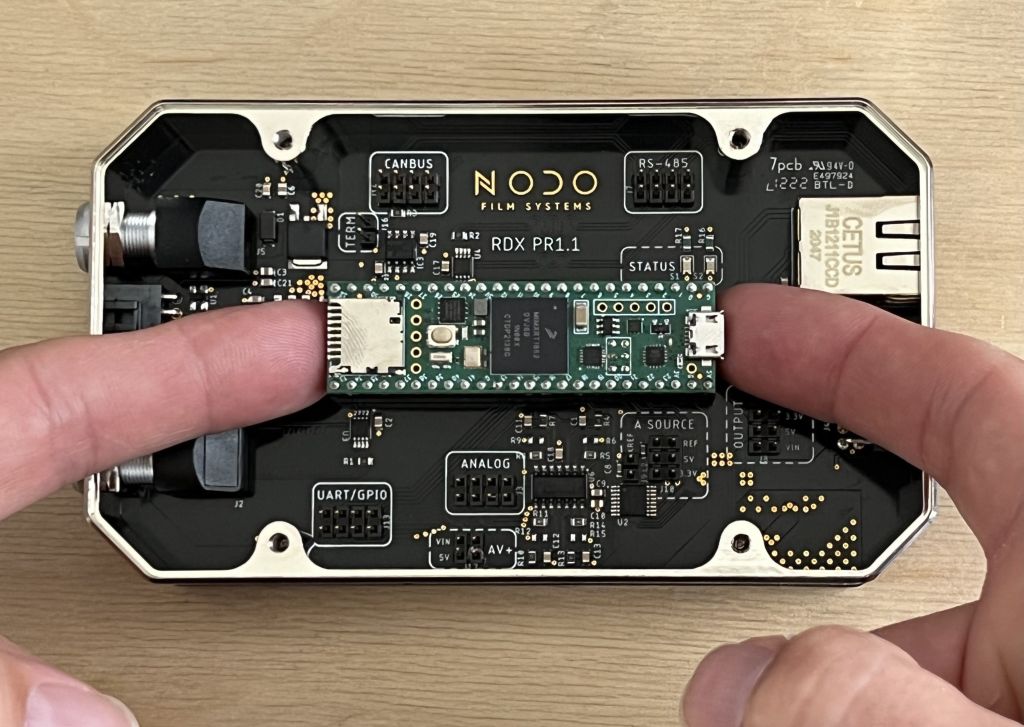
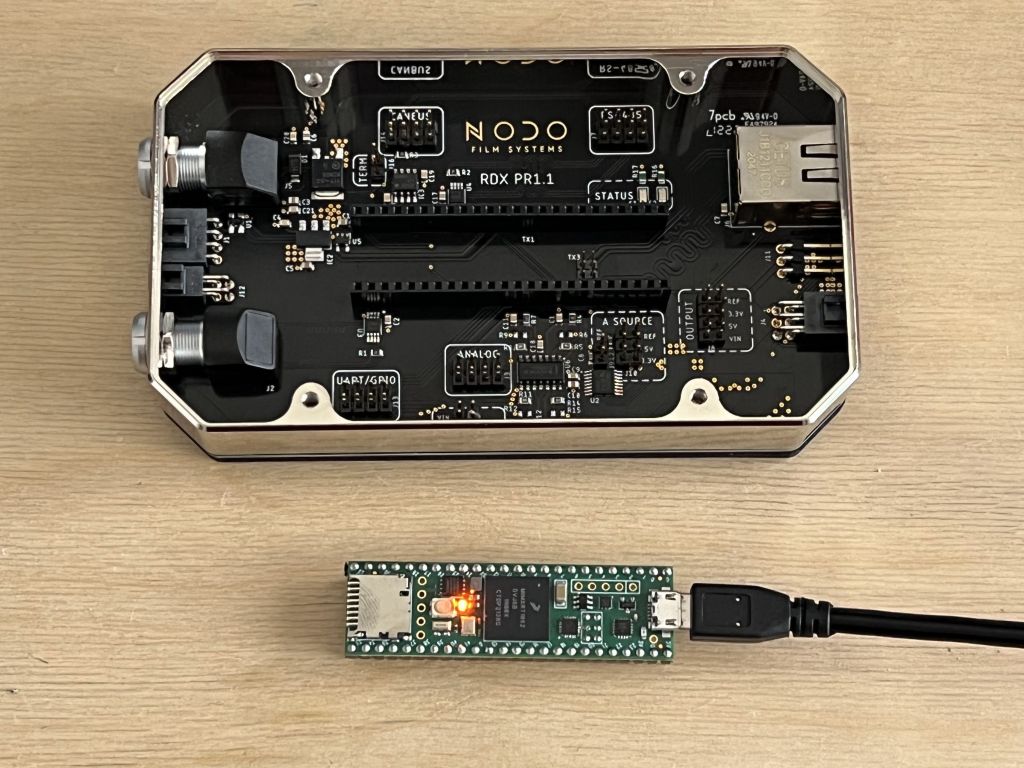
Remove the main processor board from the RDX.
Use two fingers, one under each side and lift simultaneously. Some force will be required.
Plug main processor board in via micro USB.
[!]Be certain that the pins of the board are not placed on anything conductive, like metal.
Open the TyUploader.
You may need to right click to open the first time on a Mac.


Select Upload

Browse to select the firmware file

The upload will complete very quickly

Align the main processor board onto the pin slots in the RDX.
[!] Confirm the alignment of the USB connector is on the same side as the ethernet port and opposite the LEMO connectors. As pictured.

Press down with 4 fingers, one on each corner.
[!] Use a gentle force, slowly apply more pressure until it starts to depress in.
